





Turn Microsoft Copilot 
into Real Productivity 
for Your Team 

Learn how to use Copilot effectively in everyday work, automate processes with AI agents, and scale enterprise AI—step by step. 
Real Productivity

Why Copilot Adoption Matters

Many organizations already have access to Copilot capabilities within Microsoft 365—but the real value comes when Copilot becomes part of daily work. 

“The challenge most teams face is not access to AI. It is knowing how to use it consistently in real workflows.”

Our program helps organizations move from AI curiosity to real productivity

Through a structured journey designed for practical implementation
Start using Copilot Chat effectively
Build productivity habits across Microsoft 365
Automate processes with AI agents
Scale advanced AI solutions when ready

The Copilot Adoption Journey

A proven 4-step framework to transform your organization’s productivity
Start with Copilot Chat
01

Start with
Copilot Chat

Copilot Chat helps teams explore AI safely within their Microsoft 365 environment.

Examples of Value

  • Summarize documents and meetings
  • Draft emails and reports
  • Research information quickly
  • Generate ideas and presentations
Expected OutcomeEmployees begin developing AI usage habits

Make Copilot Part of Daily Work
02

Make Copilot Part
of Daily Work

Copilot integrates directly into Microsoft 365 apps including Teams, Outlook, Word, Excel, and PowerPoint.

Examples of Value

  • Automatic meeting summaries
  • Draft reports and proposals
  • Analyze business data in Excel
  • Generate presentations faster
Expected OutcomeAI becomes embedded in everyday work

Automate Work with AI Agents
03

Automate Work
with AI Agents

Organizations can begin automating repetitive processes using AI agents.

Examples of Value

  • HR policy assistant
  • IT helpdesk automation
  • Finance reporting assistant
  • Operations workflow tracking
Expected OutcomeWorkflows become automated

Scale Enterprise AI
04

Scale Enterprise
AI

Organizations with advanced needs can expand AI capabilities using Azure AI Foundry for advanced agents and integrations.

Examples of Value

  • Custom AI models
  • Enterprise integrations
  • Advanced automation
  • Data-driven insights
Expected OutcomeEnterprise-scale AI capability

Programs Available

Choose the right program for your organization’s AI transformation journey
Copilot Quickstart Session

Copilot Quickstart Session

A short onboarding session designed to help teams start using Copilot Chat effectively.
Copilot Productivity Workshop

Copilot Productivity Workshop

A practical session demonstrating how Copilot improves everyday work.
Copilot Adoption Bootcamp

Copilot Adoption Bootcamp

A structured program designed to build Copilot usage habits across departments.
AI Agent Workshop

AI Agent Workshop

A hands-on session where organizations design and build their first AI agent.
Copilot Value Envisioning

Copilot Value Envisioning

A strategy session helping organizations plan Copilot rollout and licensing decisions.
Azure AI Foundry Readiness Assessment

Azure AI Foundry Readiness Assessment

An engagement designed to prepare organizations for enterprise AI expansion.
Which program is right for you?

Who This Is For

This program is designed for organizations that:
Use Microsoft 365 and want to maximize its value
Want to introduce AI safely into daily work
Want to automate repetitive processes
Are exploring enterprise AI transformation
Both Azure and non-Azure customers can benefit from this journey. Start with what you have, scale when you’re ready.
This program is designed for organizations that

500+

Organizations

200+

Users
Trained

4.9/5

Satisfaction

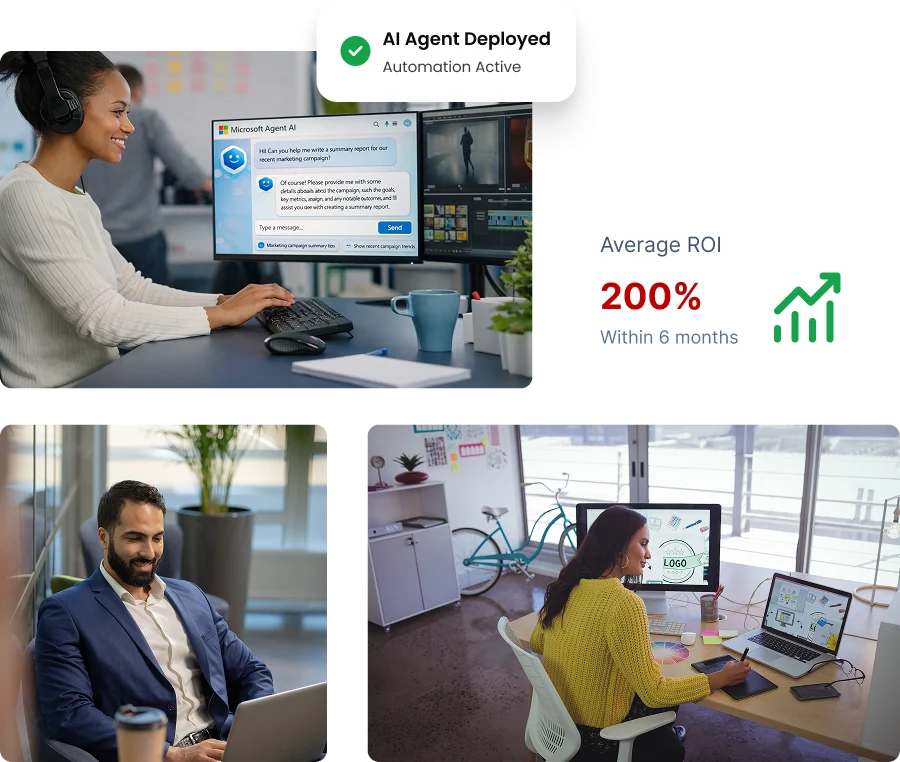
200%

Average ROI

Frequently Asked Questions

Everything you need to know about Microsoft Copilot
What is Microsoft Copilot?
Microsoft Copilot is an AI assistant integrated across Microsoft 365 applications such as Teams, Outlook, Word, Excel, and PowerPoint. It helps employees summarize information, generate content, analyze data, and automate everyday tasks using artificial intelligence.
No. Most organizations can start using Copilot within their existing Microsoft 365 environment. Azure becomes relevant later for organizations that want to build advanced AI agents or enterprise AI solutions.
Copilot Chat is an AI-powered assistant available to many Microsoft 365 users. It allows employees to ask questions, summarize documents, generate ideas, and explore information quickly within a secure enterprise environment.
AI agents are intelligent assistants that can automate repetitive tasks or processes within an organization. For example, agents can help answer HR policy questions, manage IT support requests, or generate routine reports automatically.
Yes. Microsoft Copilot is designed for organizations of all sizes, including small and medium businesses using Microsoft 365. Many companies start with Copilot Chat and gradually expand to full Copilot adoption.
Most organizations can begin using Copilot within a few days. Our onboarding sessions and workshops help teams quickly learn how to apply Copilot in real business workflows.

Still have questions?

Our team is here to help you understand how Copilot can transform your organization