Azure AD Single Sign-On (SSO) is a feature of Azure Active Directory that allows users to access multiple applications and services with just one set of login credentials. With Azure AD SSO, employees can seamlessly switch between different applications without needing to remember or enter their credentials repeatedly.
Key Features of Azure AD Single Sign-on (SSO)
Multi-Factor Authentication (MFA)
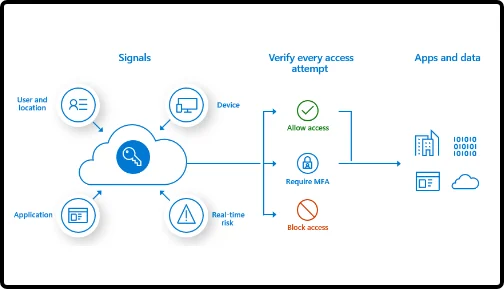
Azure AD SSO can be configured to require multi-factor authentication, adding an extra layer of security beyond passwords. This helps prevent unauthorized access and ensures that only legitimate users can access applications.
User Provisioning and Deprovisioning
With Azure AD SSO, user access to applications can be efficiently managed. When an employee joins or leaves the organization, their access to all integrated applications can be easily provisioned or deprovisioned from a centralized location.
Application Library
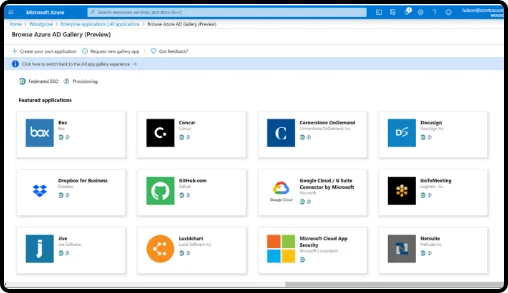
Azure AD SSO supports a wide range of pre-integrated applications, including popular SaaS applications like Microsoft 365, Salesforce, Adobe and more. This enables organizations to easily extend SSO capabilities to their existing applications and services.
Key Benefits of Azure AD Single Sign-on (SSO)
Single Sign-Out
Employees benefit from the convenience of single sign-on, and when they log out, they are securely signed out from all applications, reducing the risk of unauthorized access.
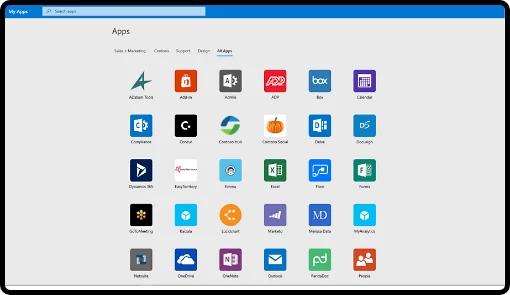
Simplified Users Access
With SSO, employees only need to authenticate once, and then they
can seamlessly access all the permitted applications without the need to enter their credentials repeatedly. This saves time and effort, allowing them to focus on their tasks rather than dealing with
multiple login prompts.
Enhanced Security
With Azure Active Directory SSO, user authentication is handled centrally, reducing the risk of weak passwords and unauthorized access. It supports multi-factor authentication (MFA), which adds an extra layer of security by requiring users to verify their identity through multiple methods such as phone calls, text messages, or mobile apps.
Centralized Access Policies
Another benefit of Azure AD SSO is its ability to enforce centralized access policies. IT administrators can define and enforce strong authentication and access policies across all applications, ensuring consistent security standards are applied uniformly. This reduces the risk of unauthorized access or data breaches caused by weak or inconsistent security measures.
Ensure secure and seamless access for
all your users and apps
We use cookies to ensure that we give you the best experience on our website. If you continue to use this site we will assume that you are happy with it.