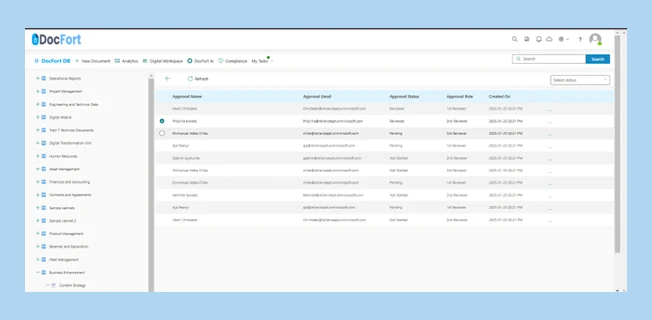
Each document workflow history can be accessed for insights into the documents journey. Have access to the document’s workflow from the uploader to modifiers down to line managers and stakeholders. Have a documented view of each documents workflow history, check approval status and role of each workflow.
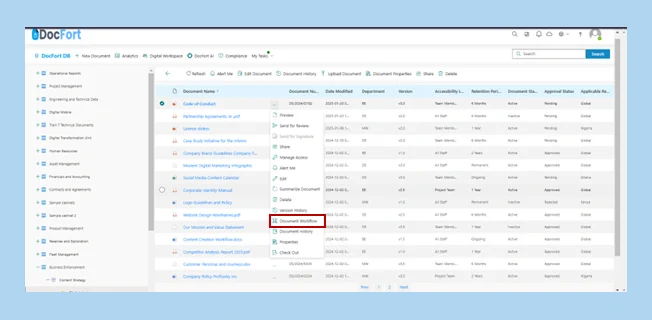
Here are the steps to gain access to document workflow history
Select the “Document Workflow” button to check the workflow of the document.
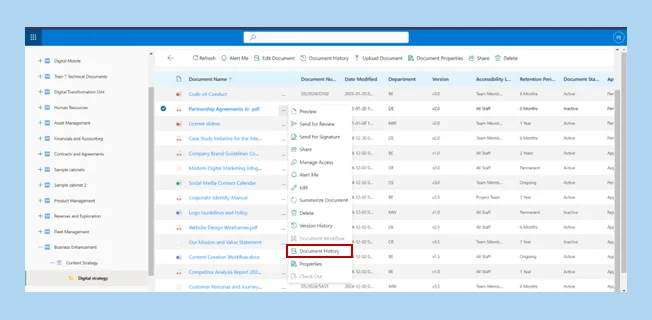
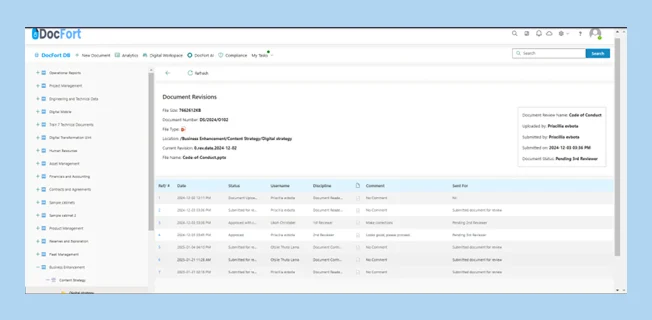
How to access Document History.
Gain access to the history of each document in the solution, know each user, discipline and comment of every reviewer attached to the document selected. Keep up to date with the status of each workflow approval or review is attached to each document.
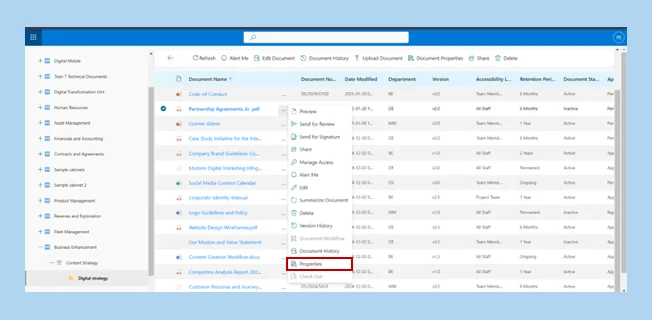
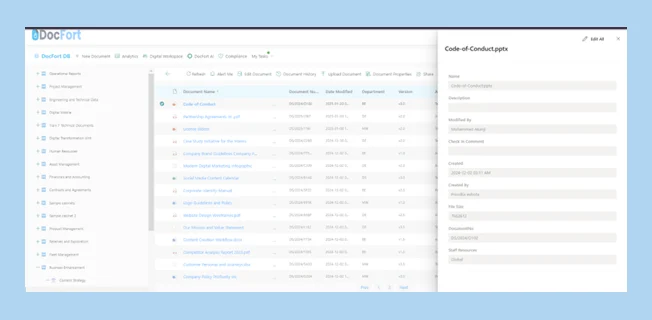
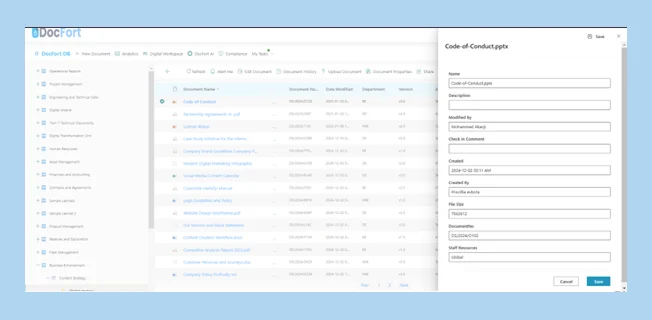
Proceed to then make the necessary changes you wish to make to the document properties.
Save changes made by selecting either of the “Save” buttons present on the pop-up screen.
See the image below for reference.
We use cookies to ensure that we give you the best experience on our website. If you continue to use this site we will assume that you are happy with it.